Issue #002 Lullops
A 3am outage, fixed on the first screen. Lighthouse 100 on desktop, 32 KB of JavaScript.
Concept project · Full Site · 2026
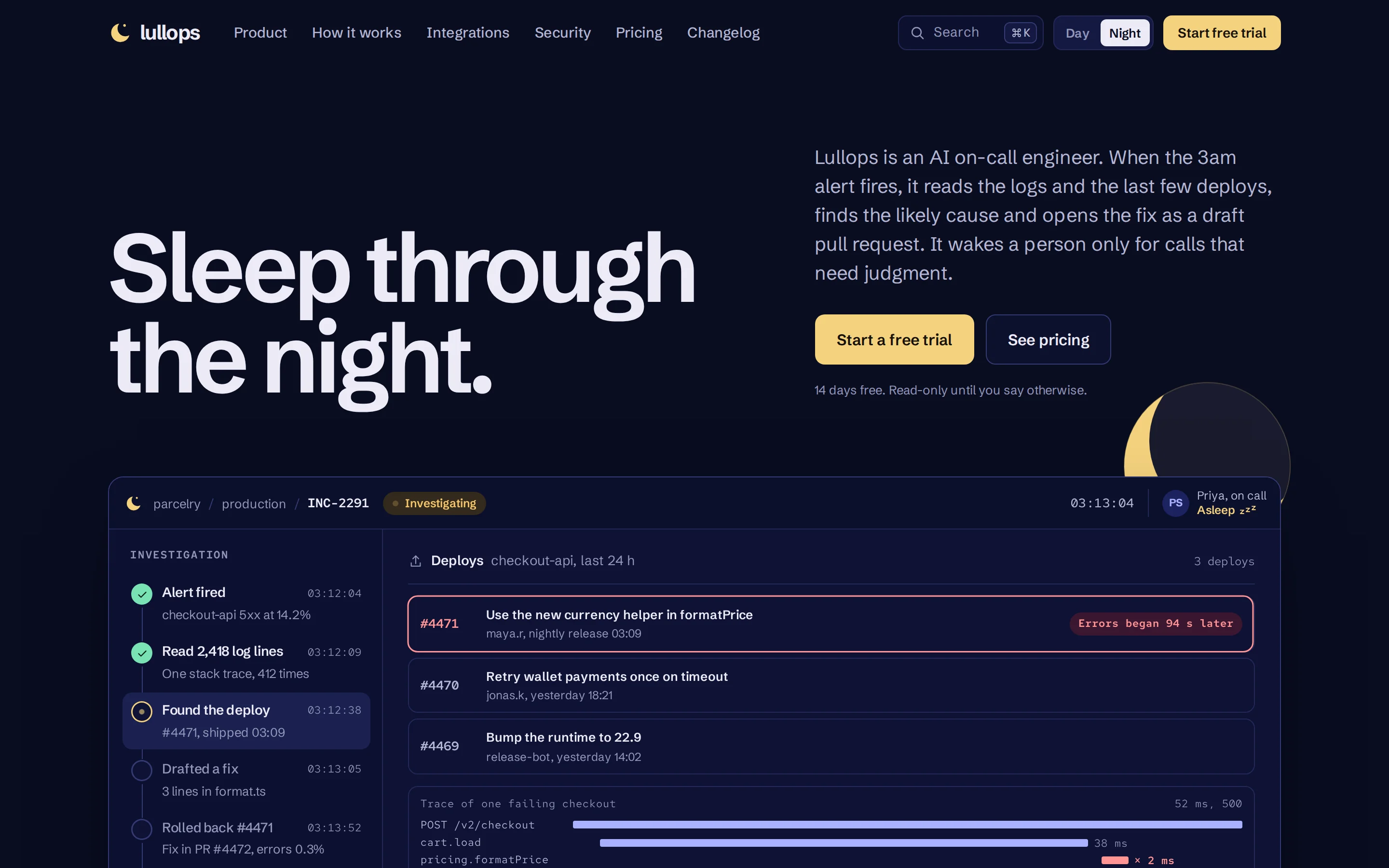
The problem
The brief I set myself: a launch site for Lullops, an AI on-call engineer, sold to startup CTOs.
Incident tools tend to launch the same way: a purple announcement bar with a NEW badge, "Intelligent Incident Management" in gradient text, a row of placeholder logos, and the product three scrolls down, if it shows up at all.
The person buying has been paged at 3am. I wanted the first screen to show a 3am outage getting fixed before they read any pitch.
The cast
- The buyer
- A startup CTO who has been paged at 3am, and reads permission screens.
- On call
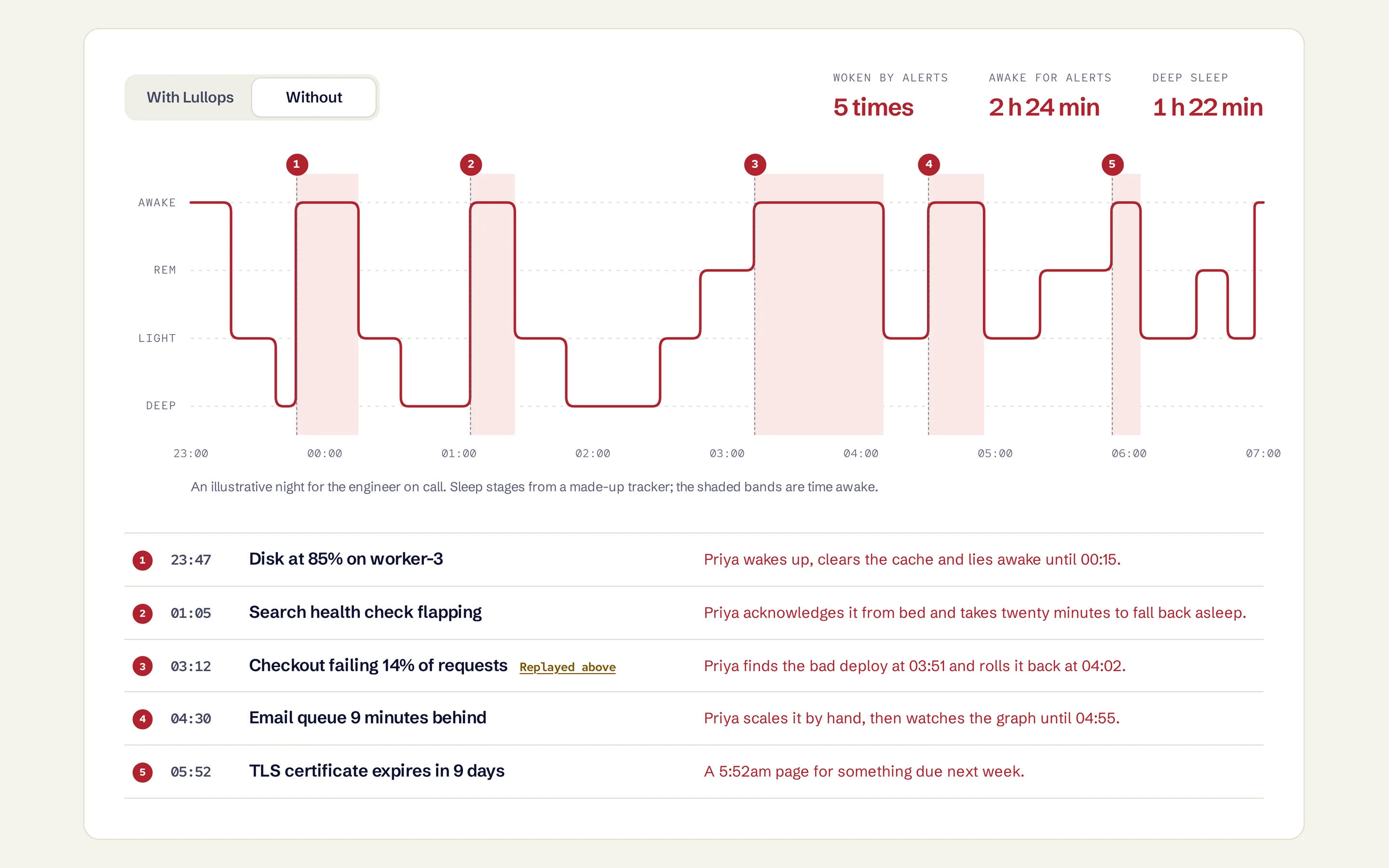
- Priya, who sleeps through five alerts on the home page's sleep chart.
- The hero
- Lullops, which reads the logs, rolls back the deploy and drafts the postmortem.
- The villain
- Deploy #4471, which broke checkout at 03:10.
The plan
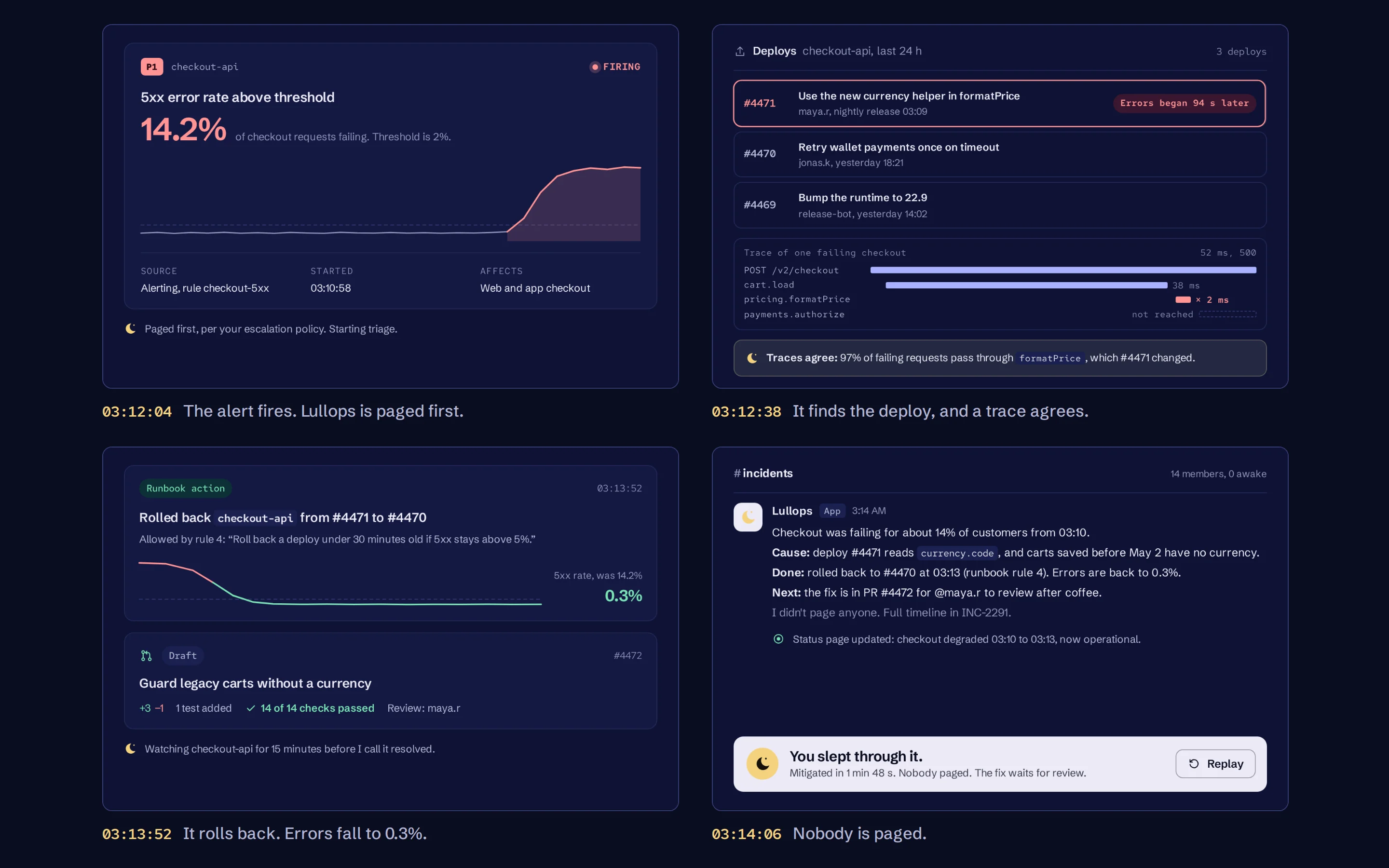
- A replay instead of a hero image. A real app window replays a 3am incident, from the alert to the fix. It ends on "You slept through it."
- Dark blue, pale yellow and a sleep chart. Deep ink blue with one brand accent, moonlight yellow, and status colors only inside the product. The proof section is a sleep chart.
- The permissions screen on the home page. CTOs read permission screens, so the site shows one, the audit log behind it, and exactly when it wakes a person.
- Where a template puts filler, the product. No logo wall, icon grid or testimonials. The same incident runs through the whole page: its route through the tools, its audit log, and the postmortem Lullops drafted before standup.
The build
Two pages of hand-written HTML and CSS, and 32 KB of plain JavaScript.
The replay runs on one clock. Every log line, chart and status has a timestamp, so scrubbing just sets the time. The error spike draws itself as the rate counts up, the logs scroll past while 2,418 lines are read, then everything but the errors dims.
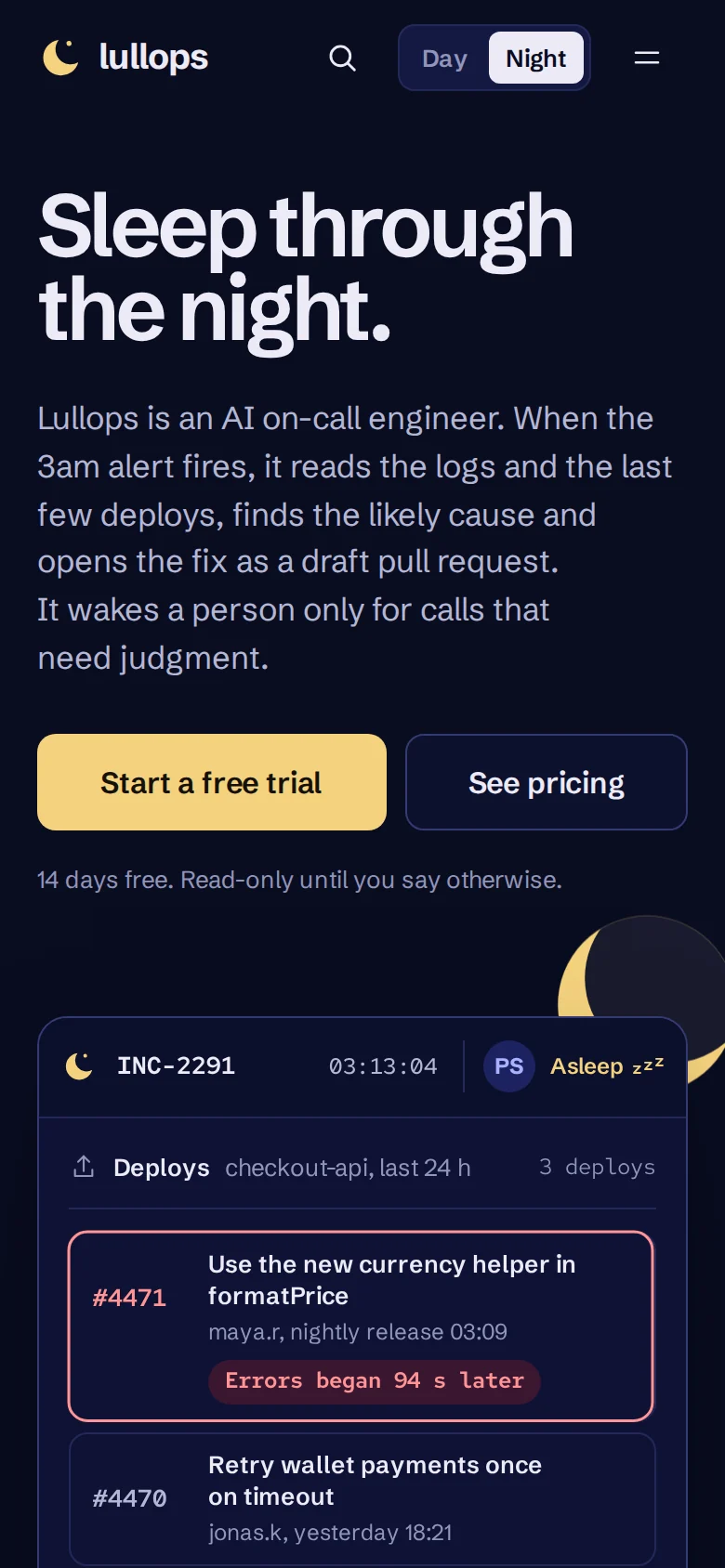
It pauses off screen and in background tabs. With reduced motion it opens on the finished night, and the timeline is one click away as text. On a phone the window is rebuilt for the width rather than shrunk: the steps become a row of marks under the stage, and long lines wrap the way an editor wraps them.
The proof is a sleep chart of the on-call engineer's night. Flip the switch and the same five alerts are drawn again without Lullops, with the time she spent awake shaded in.
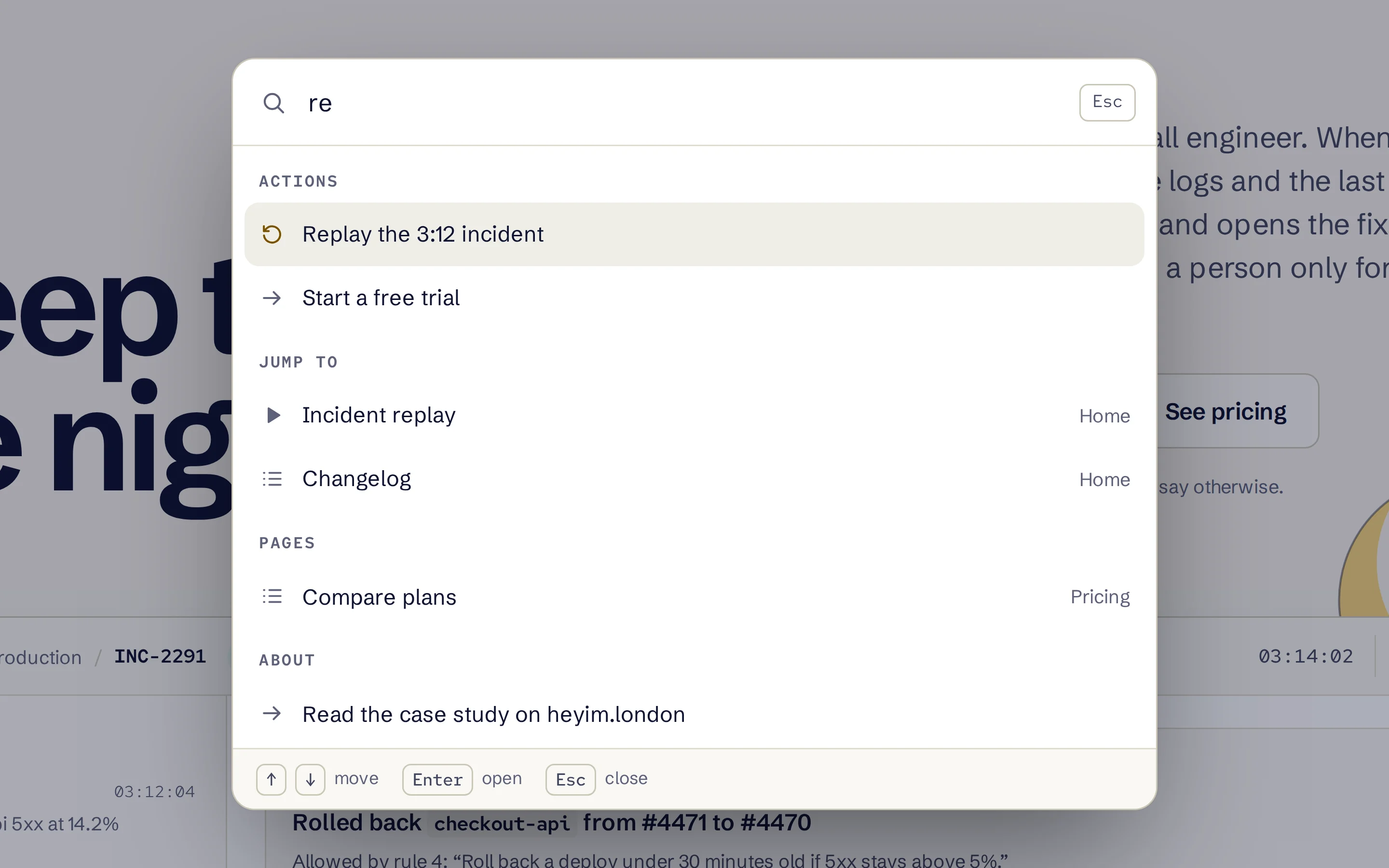
Cmd+K jumps to any section, replays the incident or switches the theme. It's a proper combobox: arrow keys, Enter and Escape work, and focus goes back where it came from. The theme follows your system until you pick one, and it's set before the first paint.
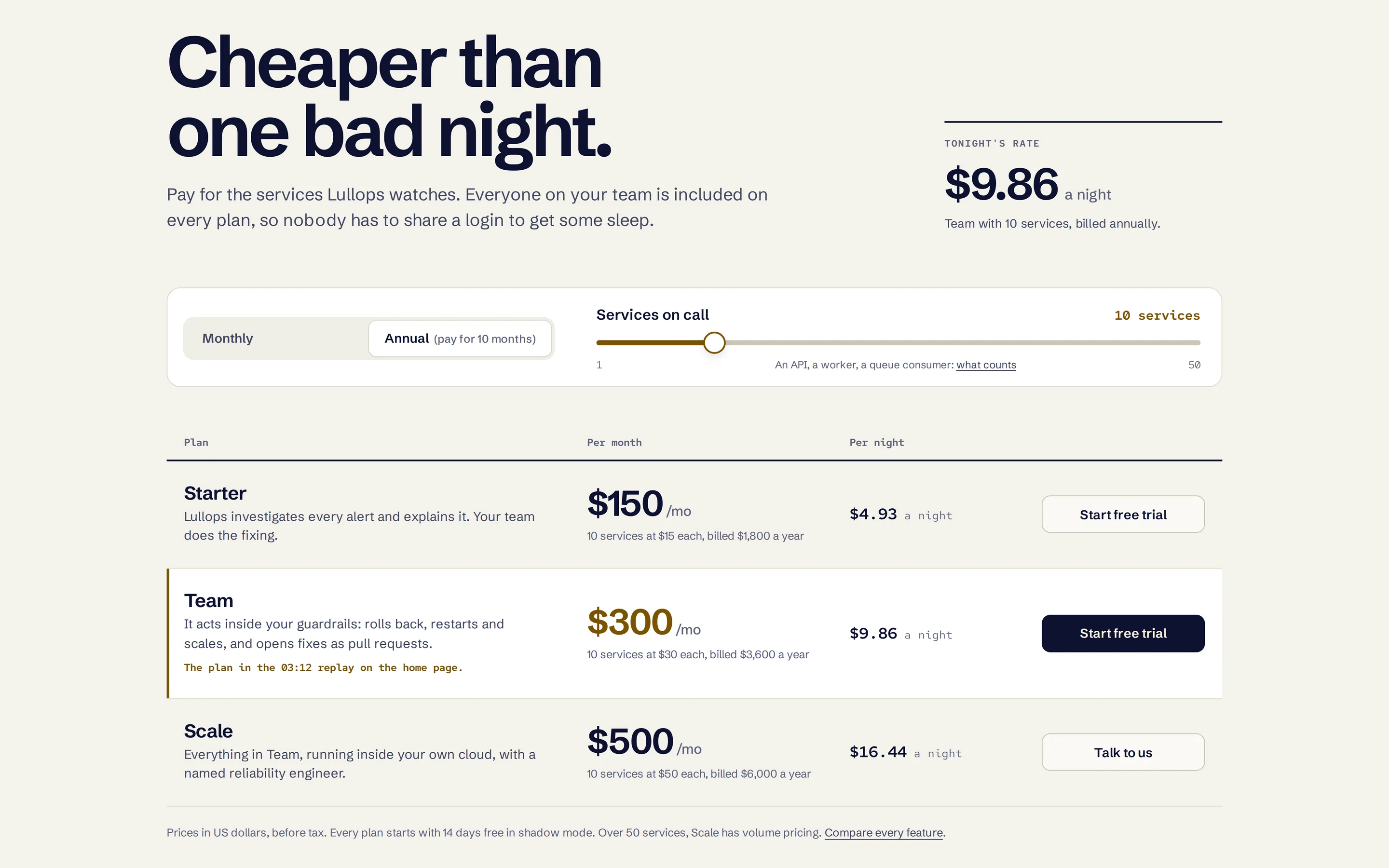
Pricing is a price list rather than three cards. Drag the slider and every plan shows its monthly price and what it costs per night. A screen reader hears the new prices once, after you let go of the slider.
- Night#090C20Dark theme background
- Dawn#F4F2ECLight theme, with Ink #0D1130 text
- Moonlight#F4D27EThe brand accent; #7A5300 by day
- Alarm#FF9494Errors, in the product at night
- Mended#79E2B4Recovered, in the product at night
- Lighthouse performance, desktop
- 100
- Accessibility and best practices
- 100
- Whole home page, gzipped
- 87 KB
- JavaScript, no framework
- 32 KB
Go poke around
- Press Cmd+K (Ctrl+K on Windows) and type "re".
- Flip last night's sleep chart to Without.
- Drag the slider on the pricing page.
heyim.london/demos/lullops/
Before / after
From "the future of intelligent incident management" to a 3am outage fixed on the first screen.

Next issue
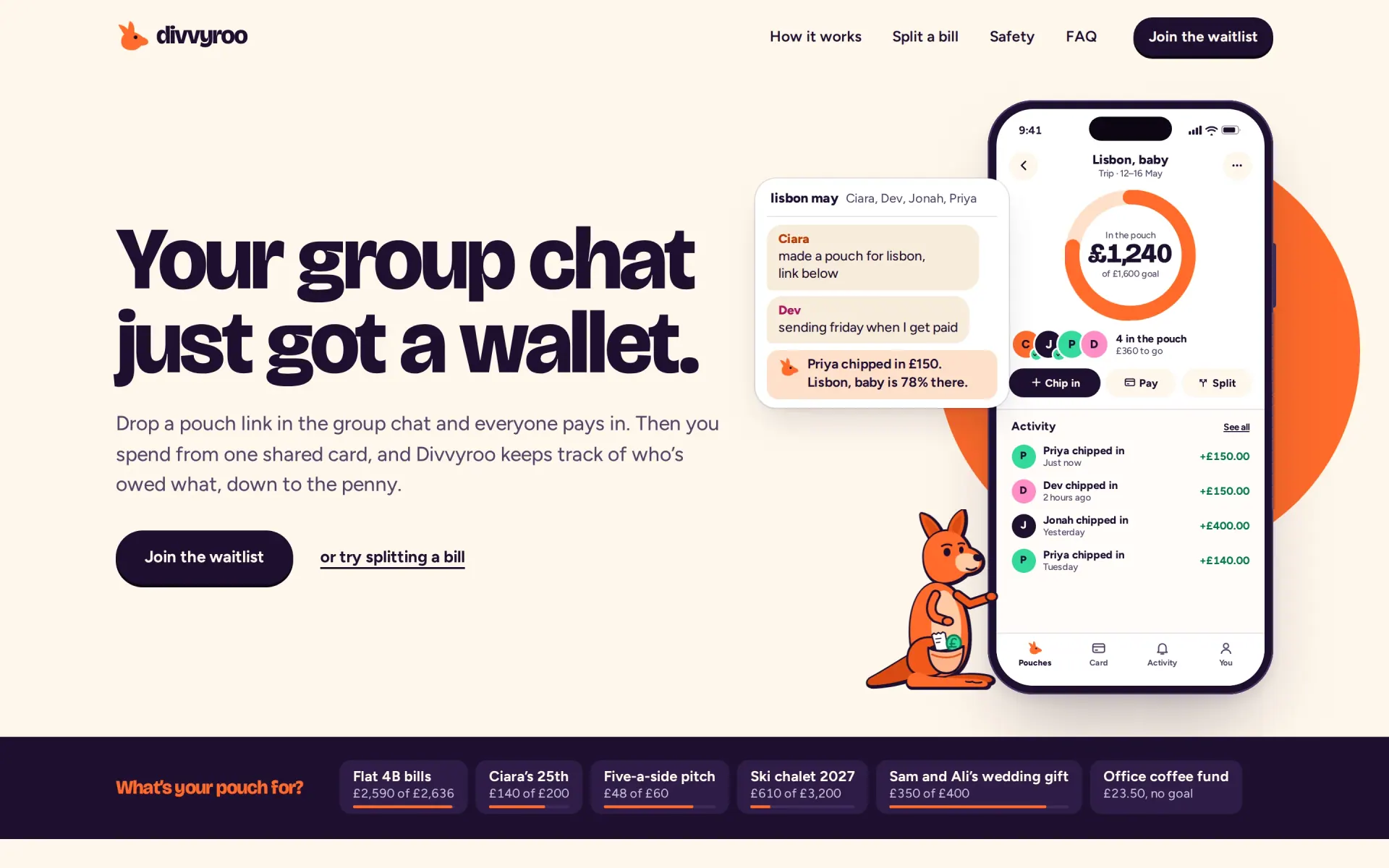
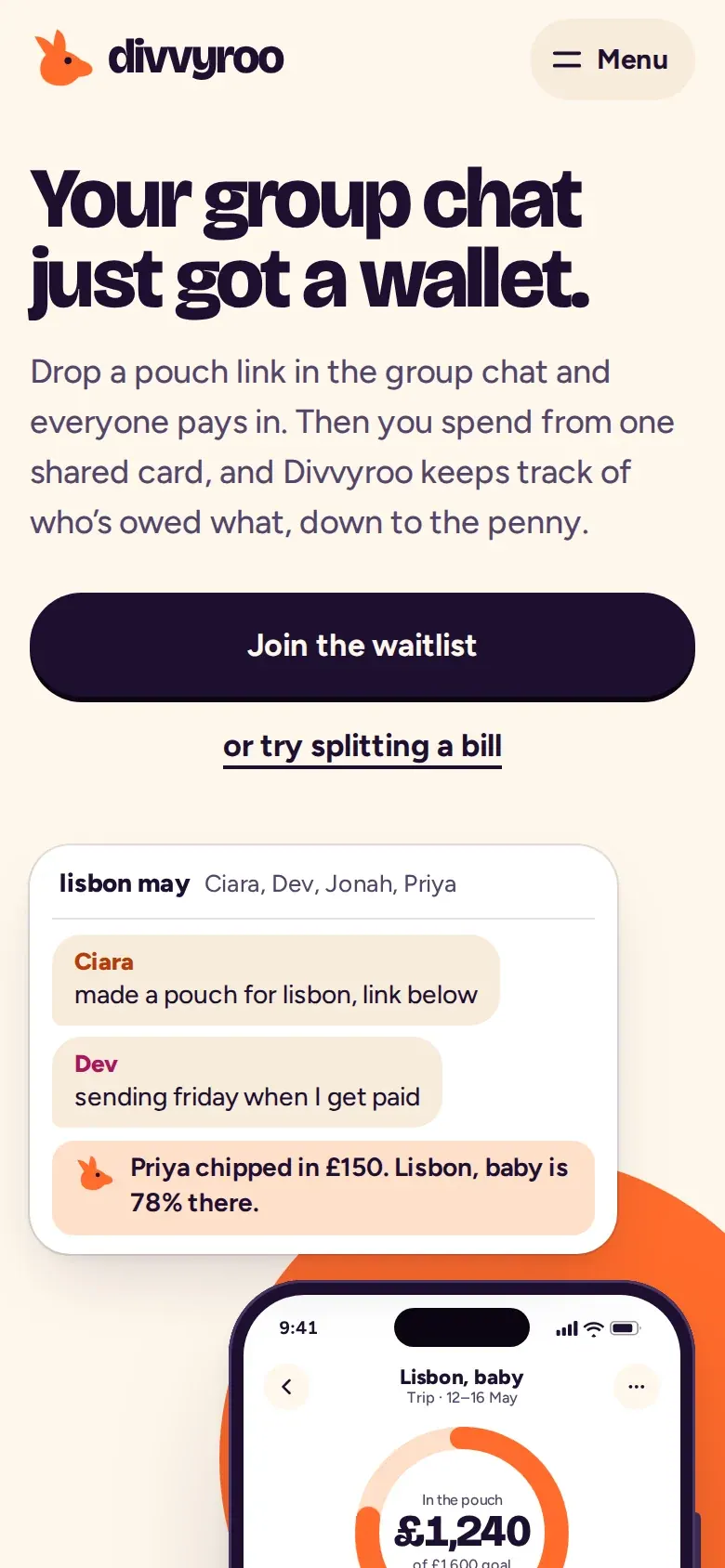
Your startup, next issue?
Send a brief. I reply within 24 hours with a plan and a price.